Fifty Contracts, Three Free E-Sign Servers, and a $60 Dell: The 30-Day Invoice

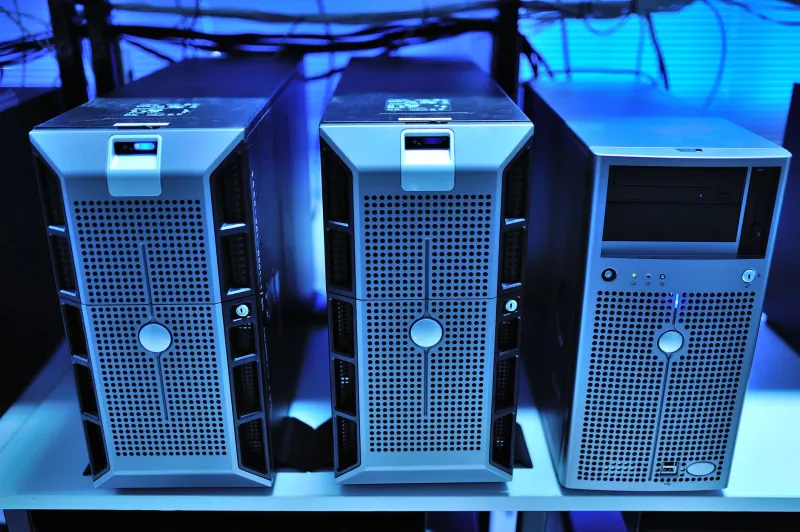
Photo: Scanning Dmitry Makeev, scan date - 2020 year., Public domain, via Wikimedia Commons
E-signature software is one of those line items that nobody questions until renewal season. A three-seat plan at one of the big names runs somewhere north of $1,400 a year by the time you add the features small businesses actually need — templates, multiple senders, an audit certificate. So we did what we always do: pulled a $60 Dell off the shelf and tried to make it disappear.
This is not a review of a SaaS product. It's a 30-day field test of three self-hosted signing platforms — DocuSeal, Documenso, and OpenSign — running on a secondhand OptiPlex 3070 Micro (i5-8500T, 8 GB RAM, 256 GB SSD) with Ubuntu Server 24.04 and Docker Compose. We put real paperwork through them, which matters more than any benchmark.
What Fifty Documents Actually Looked Like
Synthetic test PDFs are useless for this. Signature behavior depends on the document. So we ran a genuine mix over four weeks:
- 18 residential lease agreements (two signatures, initials on four pages, one witness line)
- 14 contractor statements of work (one signer, a date field, an optional initial box)
- 12 parental consent forms (single signer, mobile-only in every case — parents signed from phones)
- 6 vendor NDAs (two signers, sequential routing, countersignature by the office manager)
Every document was a real one used by a real 9-person property-management and handyman outfit that let us shadow their workflow. We did not tell their clients they were part of a lab test until after signing, which is exactly how a production rollout feels anyway.
Setup Time: Two Hours, Give or Take a Fight With Reverse Proxies
All three tools ship as containerized apps, so installation itself is boring. The friction is downstream — TLS certificates, a reverse proxy, and SMTP credentials.
| Platform | Time to first signature | Notes |
|---|---|---|
| DocuSeal | 41 min | Docker image pulls clean, Caddy handles TLS, templates are drag-and-drop |
| Documenso | 58 min | Needed a Postgres container and a storage bucket; docs assume a cloud S3 target |
| OpenSign | 96 min | More moving pieces (MongoDB, Redis), and the admin UI assumes you know the layout already |
None of them required a paid license. All three wanted an SMTP relay, which becomes the theme of this article.
Mobile Signing Is Where the Field Splits
Consent forms were signed entirely on phones — an iPhone 13 on Safari, a Pixel 6a on Chrome, and one older iPad. DocuSeal's signing page rendered cleanly on all three, with a signature pad that didn't fight the scroll gesture. Documenso worked, but the signature canvas on iOS Safari needed a second tap after the page finished loading. OpenSign's mobile view scrolled sideways on the iPad in landscape, which produced exactly one support call from a confused parent.
If your signers are mostly desktop, this ranking barely matters. If they're parents on a phone in a parking lot, it matters a lot.
Audit Trails: Boring, Complete, and Good Enough
All three platforms captured the basics we cared about: signer email, IP address, timestamp with timezone, user agent, document hash, and a final flattened PDF with a certificate page. Documenso also records a per-field completion log, which made reconstructing a disputed initial box trivial.
None of them do identity verification the way a paid service does — no knowledge-based authentication, no photo ID capture out of the box. For a lease or an SOW that's fine in most US contexts. For anything requiring notarization, this stack is the wrong tool and you already know it.
The Hidden Bill: Email Deliverability
This is the part that kills self-hosted signing projects. Signing links go out by email. If your mail comes from a residential IP or an unauthenticated relay, roughly a third of your recipients will find the invitation in spam — or never find it.
We tried the naive route first: relay through a local Postfix install on the same box. Deliverability to Gmail was miserable. The fix was a transactional relay — Amazon SES in our case, with SPF, DKIM, and a DMARC record on a domain we already owned. Fifty documents × about 3 emails each is 150 messages. At SES pricing that rounds to ten cents for the month. Not a typo.
Budget a domain if you don't already have one, and budget an afternoon for DNS records. That's the real setup cost.
Storage and Backups
Fifty signed PDFs, with certificate pages and original uploads, came to 214 MB on disk. Nightly restic snapshots to Backblaze B2 added about $0.04 for the month. If you want a second copy off-site, you're still under a dollar.
The Legal Caveats for US Small Shops
The ESIGN Act of 2000 and the Uniform Electronic Transactions Act (adopted in 49 states and DC; New York uses its own Electronic Signatures and Records Act) generally treat electronic signatures as valid, provided you can show intent to sign and consent to do business electronically. A few practical rules we followed:
- Consumer consent language on every signing page, not buried in a footer.
- Retain the audit certificate with the signed PDF, forever, not just the flattened document.
- Don't touch notarized documents, wills, or court filings with this stack without a lawyer's sign-off.
Neither DocuSeal nor Documenso nor OpenSign is a law firm. Neither are we.
The 30-Day Invoice
| Line item | Cost |
|---|---|
| Dell OptiPlex 3070 Micro (secondhand) | $60.00 one-time |
| Software licenses | $0.00 |
| Amazon SES (150 emails) | $0.10 |
| Backblaze B2 backup (214 MB) | $0.04 |
| Electricity (~15 W average, 30 days at $0.17/kWh) | $1.84 |
| Domain (amortized, already owned) | $1.00 |
| 30-day total, hardware excluded | $2.98 |
A three-seat subscription at a mainstream e-sign vendor runs roughly $1,400–$1,800 a year in 2026, depending on plan and overage. The self-hosted stack costs about $36 a year in run-rate expenses, plus whatever you value your own labor at during that first two-hour setup.
What We'd Deploy Again
DocuSeal is the one we kept running after the test ended — fastest setup, cleanest mobile signing, and a template builder that a non-technical office manager figured out in twelve minutes with zero help. Documenso is the pick if you want a more developer-friendly API surface and don't mind the extra Postgres container. OpenSign works, but it's the one we'd hand to someone who enjoys reading documentation.
The honest takeaway: for a shop signing a few dozen documents a month, the subscription fee is paying for deliverability infrastructure and legal boilerplate, not for signatures. If you're willing to own the DNS records and keep a backup on a schedule, a $60 Dell and an afternoon will do the job.