Twenty 'Can You See My Screen?' Calls Later: Three Free Remote-Support Stacks on a $99 Mini PC

Photo: Anish Regmi,Ankit Khadgi, CC BY-SA 4.0, via Wikimedia Commons
Every small IT shop hits the same wall. You're supporting 30 or 40 endpoints, the per-seat remote-access vendors want more per month than some of your clients pay for antivirus, and somebody's bookkeeper is calling because her QuickBooks window is "all weird" for the third time this quarter. So we did the obvious FreeSoft Labs thing: grabbed a $99 off-lease mini PC, installed three no-subscription remote-support stacks, and took 20 actual support calls through them.
This wasn't a synthetic benchmark on a loopback adapter. These were real tickets: printers, Outlook profiles, a QuickBooks multi-user hiccup, one genuinely mystifying Wi-Fi dead zone, and a lot of "can you see my screen?"
The Rig and the Ground Rules
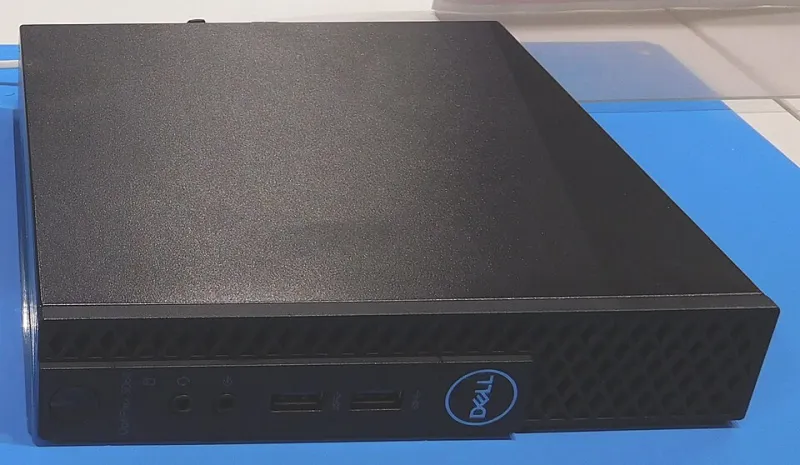
The box: an HP EliteDesk 800 G3 Mini, picked up used for $99 with an i5-7500, 16 GB of RAM, and a 256 GB NVMe drive. It runs Debian 12, sits on a $12/year domain, and pulls about 11 to 13 watts at idle according to our trusty Kill-A-Watt.
Our test endpoints were scattered across three client sites on residential cable (300/12), a small office fiber line (500/500), and one sad DSL connection we won't name. We timed setup with a stopwatch, logged latency with simple ping and traceroute sampling, and noted every moment a client sighed audibly.
RustDesk: The One That Feels Like the Tool Everyone Already Knows
Setup was the easiest of the three, which surprised us. We ran the self-hosted relay (hbbs and hbbr) in Docker, opened ports 21115 through 21119, generated our key, and baked it into the client config. Total time from blank VM to first successful session: 45 minutes, and 20 of those were spent arguing with our own firewall.
NAT traversal is the headline. RustDesk punched through directly on about 60% of our calls, and the rest fell back to our relay without anyone noticing. Latency on the residential cable line hovered between 90 and 140 ms, which is enough that dragging a window feels slightly soupy but is perfectly fine for pointing at a checkbox. On the office fiber it dropped to a smooth 40-ish ms.
Where RustDesk shines is familiarity. Unattended access, file transfer, clipboard, and a permanent password feature that works great right up until you remember it's basically a shared secret sitting on 40 machines. We turned it off and used attended sessions with a rotating code. There's no built-in central audit trail unless you build one, and that's the trade-off for the simplicity.
Best call of the batch: a remote user whose Outlook kept prompting for a password. Nine minutes, start to finish, no tears.
MeshCentral: The Swiss Army Knife With a 400-Page Manual
MeshCentral setup took about 25 minutes on the same box, but the agent rollout is where it earns its keep. We pushed the MSI through Group Policy, and every Windows machine phoned home over outbound 443. That's the killer feature: because the agent initiates the connection, NAT traversal was 20 for 20. Not a single firewall exception, not a single router config change.
Latency tracked RustDesk closely, though the initial screen paint on older laptops felt a beat slower. What MeshCentral gives you beyond screen sharing is a full toolbox: remote terminal, file browser, wake-on-LAN, a decent RDP relay, and an event log that would make a compliance officer misty-eyed. Two-factor auth and granular per-user permissions are built in.
The downside is the interface. It's dense, it's gray, and new technicians will click the wrong thing at least twice. We also chased a certificate warning for a solid 15 minutes before realizing we'd fat-fingered the common name. Once it's running, though, it's the most "adult" of the three.
Best call of the batch: a QuickBooks multi-user error that we fixed entirely from the terminal tab without ever taking over the screen. The client thought we were a wizard.
Apache Guacamole: The Browser Tab That Does Everything, If You Can Reach the Machine
Guacamole is the odd one out. It's a gateway, not an agent, which means it can only manage hosts it can already reach over the network. That's a feature and a limitation. We paired it with a WireGuard tunnel to the office LAN and ran the whole thing behind Caddy with TOTP on the login page.
Setup time: just over two hours, including a database, guacd, a reverse proxy, and enough YAML to make a person reconsider their career. The payoff is that it works from literally any browser. No client install, no agent, no "please download this exe" phone call. We used it to support a client on a Chromebook who genuinely could not install anything, and it saved the day.
Latency added roughly 20 to 30 ms over the raw RDP baseline, and session recording is built in, which is a genuinely nice thing for shops with compliance requirements. But make no mistake: for a client on residential cable behind a locked-down router, Guacamole alone will not get you in. It's a layer, not a magic wand.
Best call of the batch: a recorded session for a client who later disputed what we'd changed. The recording ended the argument in about 30 seconds.
What 20 Calls Actually Felt Like
By call 10 we'd settled into a rhythm. RustDesk was our quick-draw for one-off sessions. MeshCentral was the default for anything we owned end-to-end, because the agent rollout meant zero "is your firewall blocking me?" conversations. Guacamole came out for browser-only users and any call where we wanted a paper trail.
End-user perception mattered more than we expected. Guacamole's browser approach got the most "oh, that's neat" comments, mostly because nobody had to install anything. RustDesk felt native and fast. MeshCentral's first connection on a six-year-old Dell laptop prompted one client to ask if our computer was okay. It was. It was just thinking.
The Bill
Ninety-nine dollars for the mini PC, one-time. Zero dollars in licenses. Around $12 a year for the domain, TLS from Let's Encrypt for free, and maybe $2.50 a month in electricity. Backups ride on an existing NAS. Compared to a per-seat remote tool for 40 endpoints, the math isn't subtle.
The hidden cost is your time. Budget an afternoon for the first stack and a Saturday for Guacamole if you go that route. But after that, the meter stops running.
Our Verdict
If we had to pick one, MeshCentral wins for a shop that manages a fleet. The agent model and the audit log are worth the ugly UI. RustDesk is the best ad-hoc tool in the bunch and the one we'd hand to a solo tech. Guacamole is the specialist: browser access, session recording, and a clean answer for Chromebooks and locked-down clients.
Run all three on the same $99 box, as we did, and you've got a remote-support stack that costs less than one month of the commercial alternative. The clients never notice. That's the point.